
Conversational AI Assistant: Pros and Cons
Customer support teams are under pressure to respond faster and with consistent quality, and a conversational ai assistant can cut response times while handling repetitive questions. In this guide we explain what a conversational ai assistant is, evaluate leading options, unpack the practical 30% rule in AI, and show how to pick a solution that fits your business. You will learn how these assistants differ, which are best for specific use cases, and when to pair them with targeted customer support software like TicketBuddy for automating repetitive queries (ticketbuddy.ai).
Key takeaways:
What a conversational ai assistant is and how it fits customer support.
The practical meaning of the 30% rule in AI and how it affects ROI.
A head-to-head view of top options for different business needs.
How to choose based on accuracy, cost, safety, and integration with support tools.
Quick Comparison: Best conversational ai assistant at a Glance
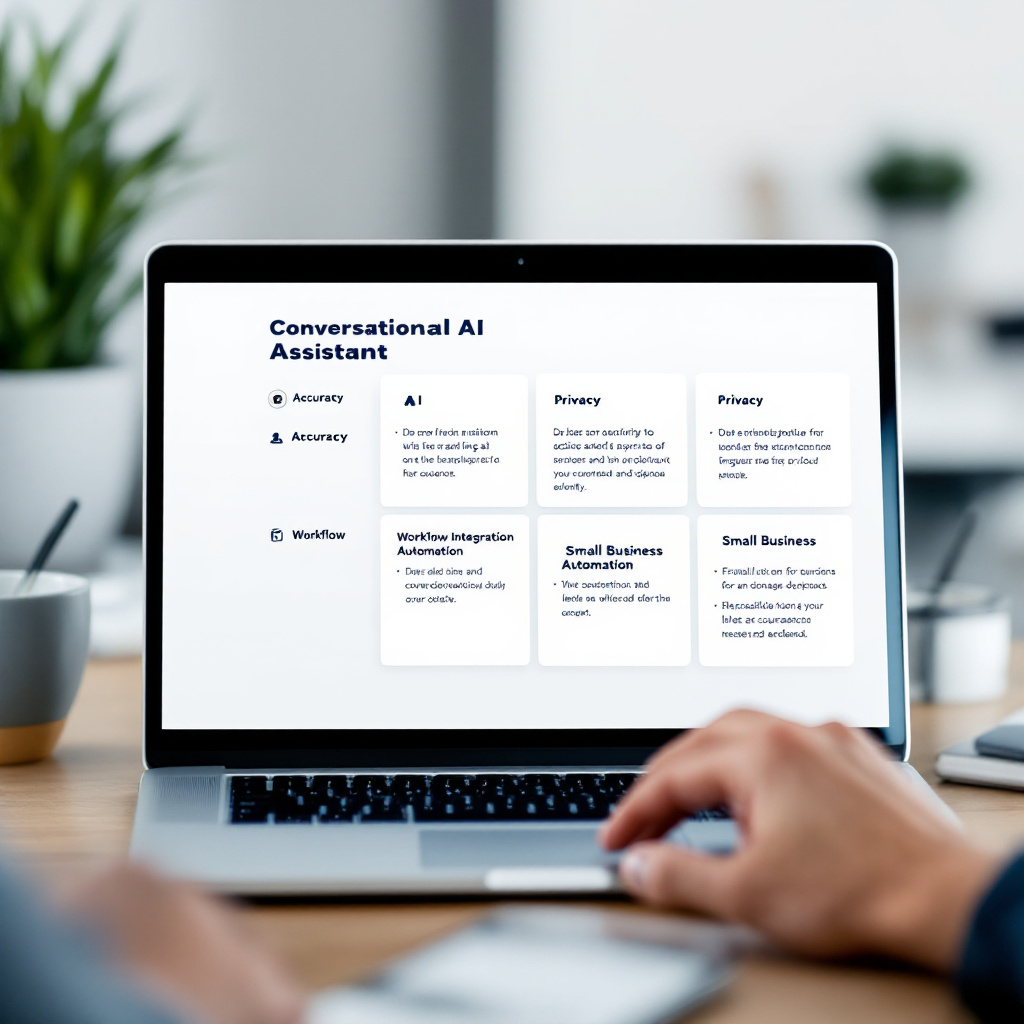
A quick answer: the best conversational ai assistant depends on your priorities: accuracy and context handling, privacy and compliance, tight workflow integration, or small business automation. We evaluated options based on language capability, deployment flexibility, safety controls, and pricing transparency.
We assessed market leaders and niche vendors for accuracy, developer and nontechnical usability, enterprise readiness, and small business fit. Selection criteria emphasized real-world customer support performance, support for generative ai chatbots, and ability to reduce repetitive ticket volume. Our goal was to surface options that work well for customer support teams and SEO or sentiment tasks.
| Option | Best For | Key Strength | Price Range |
|---|---|---|---|
| OpenAI ChatGPT | Broad, developer-friendly use | Strong language models and ecosystem | Free / Plus / Enterprise |
| Google Gemini | Search and multimodal context | Deep search integration and multimodal | Free / Advanced / Enterprise |
| Microsoft Copilot | Office workflow integration | Built into Microsoft ecosystem | Included in some Microsoft 365 plans / Enterprise |
| Anthropic Claude | Safety-focused deployments | Safety and controllability | Free trial / Paid tiers / Enterprise |
| TicketBuddy | Small business customer support automation | Automates repetitive questions using AI | Starter / Business / Custom |
In practice, you will choose a model for core conversational capability and then layer support tooling that automates ticket routing and replies. For small businesses focused on reducing repetitive tickets, pairing a conversational model with a customer support SaaS like TicketBuddy, which uses AI to answer repetitive questions automatically, often yields the fastest path to measurable gains. For example, many teams find that automated responders handle between 20 and 30 percent of common queries, which frees agents for higher value work ((ticketbuddy.ai)). Consider embedding demo videos or product walkthroughs on your support pages to help evaluate the conversational experience before committing.
1. OpenAI ChatGPT — Best for general-purpose language and developer flexibility
OpenAI ChatGPT is best for teams that need a broadly capable conversational model with strong developer tools and a large user community. ChatGPT scales from simple chatbots to advanced prompt-driven agents that support varied conversational flows.
Overview: ChatGPT, developed by OpenAI, offers a range of model access options and strong tooling for prompt engineering. It is widely used for content generation, chat-based customer interactions, and prototype conversational flows. Because of its ecosystem, many third-party tools and plugins are available for support workflows.
Best for: Product teams, developers, and customer support managers who value a mature model ecosystem and easy experimentation.
Pros:
High language quality, effective at nuanced conversational replies across many topics.
Large ecosystem, many integrations, plugins, and community-developed prompts.
Flexible deployment, via API or hosted chat interfaces, supporting rapid experimentation.
Cons:
Cost can grow with scale, especially for high-volume conversational workloads.
Safety and hallucination risk, requires guardrails and monitoring in customer support contexts.
Pricing: Free tier available, ChatGPT Plus at a subscription level for individuals, and enterprise plans with custom pricing for teams and businesses. Pricing tiers vary by usage and API consumption.
Practical note: You may use ChatGPT for initial conversational design, then integrate it into a support workflow managed by a platform like TicketBuddy so that repetitive tickets are handled automatically while you retain human oversight. For an example of how companies use conversational AI to auto-handle tickets, see this (ticketbuddy.ai).

2. Google Gemini — Best for multimodal context and search-rich use cases
Google Gemini answers first: choose Gemini when your conversations must combine text, images, and searchable context. Gemini prioritizes multimodal understanding and ties to Google search and knowledge layers.
Overview: Google's Gemini family focuses on multimodal reasoning and retrieval augmentation, delivering responses that can reference images, documents, and external knowledge. For support teams that rely on product documentation, knowledge base search, and image-assisted troubleshooting, Gemini is a strong fit.
Best for: Teams needing multimodal responses, tight search and knowledge retrieval, and organizations that already use Google Cloud services.
Pros:
Multimodal capability, can interpret images and text together for richer answers.
Tight retrieval and search, useful when linking conversations to knowledge base content.
Scales with Google Cloud, benefiting enterprise-grade infrastructure and global availability.
Cons:
Platform lock-in risk, deeper features may work best within Google's ecosystem.
Pricing complexity, advanced features often require paid tiers and enterprise negotiation.
Pricing: Free access exists for basic features; paid tiers include advanced subscriptions and enterprise pricing. Exact plans and features depend on product packaging and deployment choices.
Practical note: If your support workflows use knowledge bases and documentation frequently, Gemini's retrieval strengths reduce time to answer and improve accuracy. When you want to automate routine replies, pair Gemini-based conversational agents with a ticketing layer or automations in your customer support SaaS, and consult resources like the TicketBuddy article on conversational AI for customer service to understand practical deployment patterns conversational AI customer service guide.
3. Microsoft Copilot — Best for Office and workflow integration
Short answer: pick Microsoft Copilot if you need a conversational assistant tightly embedded in productivity apps and business workflows. Copilot extends Microsoft 365 with conversational context in documents, email, and chats.
Overview: Microsoft Copilot integrates AI into Office applications, offering conversational assistance where work happens. For customer-facing teams that operate inside Outlook, Teams, and Excel, Copilot reduces context switching by surfacing answers in-app.
Best for: Customer service teams and knowledge workers already invested in Microsoft 365 who want AI contextual help without switching tools.
Pros:
In-app productivity, the assistant appears where you work, reducing friction.
Enterprise-readiness, alignment with Microsoft security, identity, and compliance controls.
Workflow automation, helps draft replies, summarize conversations, and extract tasks.
Cons:
Best experience tied to Microsoft stack, less ideal if you use diverse SaaS tools.
Licensing complexity, costs vary by plan and enterprise agreements.
Pricing: Copilot features may be included in certain Microsoft 365 enterprise plans or offered as an add-on with enterprise pricing. SMB and custom pricing paths exist depending on seat count and feature set.
Practical note: For support teams that manage tickets via email and Teams chats, Copilot can speed drafting and triage. However, for dedicated ticket automation that answers repetitive questions automatically, pairing Copilot outputs with a dedicated help desk automation product like TicketBuddy often makes operational sense. TicketBuddy focuses on automating repetitive questions, which complements higher-level assistants working inside productivity apps.
4. Anthropic Claude — Best for safety-sensitive and controllable deployments
Answer first: use Claude when safety, controllability, and transparent behavior are primary concerns. Anthropic emphasizes safe model behavior and tools to reduce risky outputs.
Overview: Claude, from Anthropic, focuses on reducing harmful or misleading responses by offering safety-oriented controls and a design philosophy around model alignment. It is often chosen by organizations that need stricter guardrails for customer conversations.
Best for: Regulated industries and teams needing stronger safety and controllability features in conversational workflows.
Pros:
Safety-first design, built-in controls to limit risky or unsafe outputs.
Controllability, tools and prompt constructs that help shape model behavior.
Enterprise focus, options for private deployments and compliance features.
Cons:
May lag in certain creative tasks, where other models excel at more open-ended generation.
Ecosystem is smaller, fewer third-party integrations compared with some competitors.
Pricing: Claude offers a free tier or trial options, paid tiers for higher usage, and enterprise pricing for larger or regulated deployments.
Practical note: If you need to automate repetitive support replies while keeping tight safety assurance, Claude combined with a support automation SaaS can provide both responsible output and operational automation. For small businesses aiming to reduce repetitive ticket volume without heavy technical lift, consider TicketBuddy which uses AI to answer repetitive questions automatically and can be a practical on-ramp to automated support.
How to Choose the Right conversational ai assistant for Your Needs
Choose a conversational assistant by prioritizing four decision factors that matter most to support outcomes: accuracy and context, cost and ROI, safety and compliance, and operational fit with your support stack. Evaluate each factor with concrete tests.
Accuracy and context understanding — Why this matters and how to evaluate it Accuracy drives customer satisfaction. Test candidate assistants with realistic support queries that include product names, common troubleshooting, ambiguous phrasing, and multiple-turn dialogues. Measure correctness, brevity, and ability to escalate. Run A/B tests in sandbox environments and use agent feedback to quantify improvements.
Cost and measurable ROI — Evaluation guidance Cost is not just subscription fees. Include API usage, moderation, development, and ongoing monitoring in your total cost. Use the 30 percent heuristic: if automation can reliably resolve roughly 20 to 30 percent of repetitive tickets, the tool often pays back quickly. Many small teams report a 20 to 30 percent reduction in repetitive tickets when combining conversational assistants with targeted automations ((ticketbuddy.ai)).
Safety, moderation, and compliance — Evaluation guidance Assess safety features like content filters, red teaming reports, and logging for audits. For regulated sectors, require data residency and clear handling of PII. Verify vendor support for role-based access and review workflows so human agents can easily correct mistakes.
Operational fit and integration — Evaluation guidance Evaluate how the assistant connects to your knowledge base, ticketing system, and CRM. Test handoff flows where the assistant escalates to agents. If your team lacks engineering resources, prioritize solutions with low-code connectors or dedicated support automation platforms. For small businesses, a specialized support SaaS that automates repetitive questions, such as TicketBuddy, can reduce implementation overhead while delivering practical value quickly.
Our recommendation: If you are a small business focused on automating repetitive customer questions with minimal technical effort, pair a lightweight conversational model with a support automation product like TicketBuddy. Larger organizations with complex compliance or multimodal needs should prioritize safety or retrieval-augmented models and plan for a dedicated integration and monitoring phase.
Frequently Asked Questions
What is a conversational AI assistant?
A conversational AI assistant is a software agent that understands and generates human-like text or speech to interact with users. It combines natural language processing, generative models, and dialogue management to answer questions, guide workflows, or escalate issues within customer support or productivity tools.
What is the 30% rule in AI?
The 30 percent rule is a practical guideline that suggests automation can often handle about 20 to 30 percent of repetitive, low-complexity tasks in support workflows. You should test your ticket mix to see which queries are safe to automate and monitor customer satisfaction after deployment.
Is there an AI assistant that you can talk to?
Yes, several conversational assistants support voice interactions and real-time audio, enabling spoken dialogs. Voice-capable assistants use speech recognition and synthesis layered on top of conversational models to simulate a talk-like experience at scale.
Who has the best conversational AI?
The "best" conversational AI depends on your use case. OpenAI ChatGPT is broadly versatile, Google Gemini excels in multimodal and search-linked tasks, Microsoft Copilot integrates well with Office workflows, and Anthropic Claude prioritizes safety. Small businesses may prefer dedicated support automation like TicketBuddy for repetitive ticket handling.
How do generative AI chatbots impact customer support?
Generative AI chatbots can draft personalized replies, summarize tickets, and resolve routine issues, improving response times and agent efficiency. For effective deployment, combine generative assistants with human oversight, clear escalation rules, and post-deployment monitoring to catch errors and measure ROI.
Conclusion
A conversational ai assistant can transform customer support by automating routine replies, shortening response times, and freeing agents for complex work. Key takeaways: first, align your choice to your primary need, whether language quality, multimodal context, workflow integration, or safety. Second, use the 30 percent heuristic to set realistic automation goals and measure ROI. Third, pair a strong conversational model with support automation to achieve operational results faster.
If you run a small business and your priority is reducing repetitive questions with minimal setup, evaluate support platforms that use AI for ticket automation. Explore TicketBuddy to see how AI can answer repetitive questions automatically and reduce agent load, and review practical deployments in the TicketBuddy blog for guidance how companies use conversational AI to auto-handle support tickets. Ready to test automation in your support operations? Visit the (ticketbuddy.ai) and consider starting a trial or request a demo to see how automated replies could fit your workflow.